Start of Day
Start of Day (SOD) opens the store for business. You pick the cash drawer, count the starting cash, and confirm the count — that opens the day's books and unlocks OverDrive so the shop can take ROs and payments.
Screens on this page come from the OverDrive design
The live app may look slightly different. We'll swap in live screenshots as each screen is verified in the app.
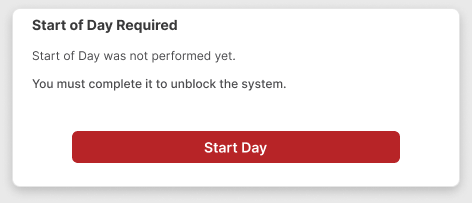
Until Start of Day is done, OverDrive stays locked. Right after you log in and pick your store, a Start of Day Required window sits on top of everything — nothing else works until someone completes SOD.
Before you start
- Yesterday's End of Day must be complete. If it isn't, OverDrive stops you (see What blocks Start of Day).
- Have the physical drawer in front of you. You're counting what's actually in the till — which should be the float that stayed behind at last night's close.
- Go to Company → Start of Day in the left menu.
Walkthrough
Step through the slides with the chips at the top, the Previous / Next buttons, or the ← → arrow keys.
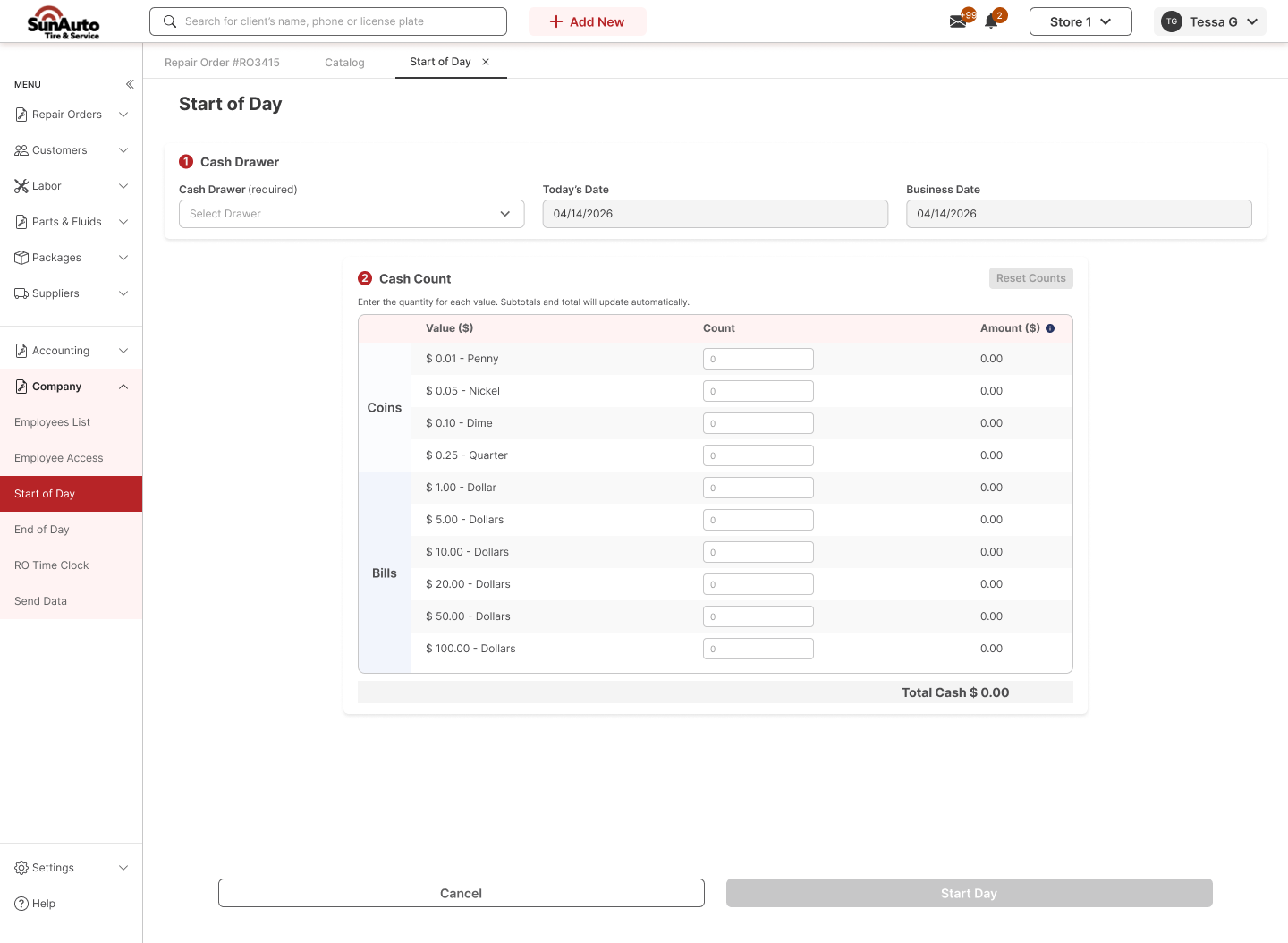
Step 1 — Open Start of Day. The page has two things to fill in: ① Cash Drawer and ② Cash Count. Today's Date and Business Date are filled in automatically and are read-only. The Start Day button at the bottom stays disabled until a drawer is selected and at least one count is entered.
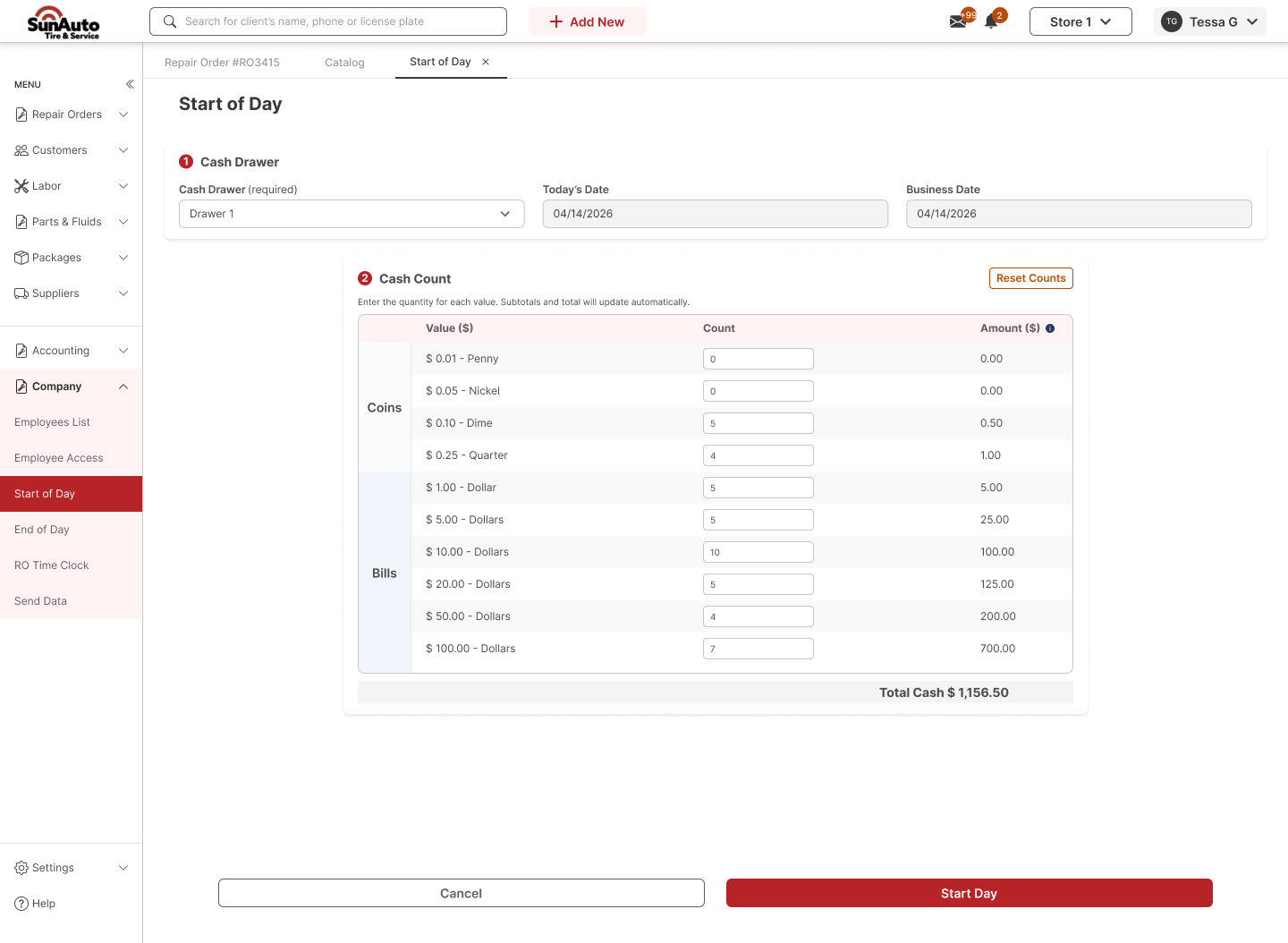
Step 2 — Pick the drawer, then enter the count. Under ① Cash Drawer, choose your register. Then under ② Cash Count, type the quantity of each coin and bill in the till — the Amount column and Total Cash tally automatically, you never type a dollar figure. Once a drawer is picked and a count is in, Start Day turns active; click it.
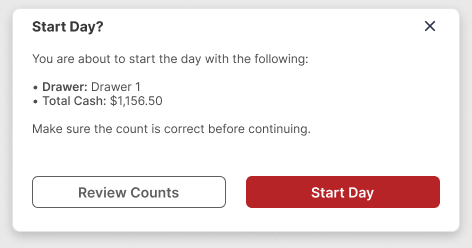
Step 3 — Confirm the count. The Start Day? window recaps the Drawer and Total Cash you counted. If anything looks off, click Review Counts to go back — nothing is saved yet. When it's right, click Start Day. OverDrive opens the day's books, records the starting cash, unlocks the system, and drops you on the home page.
You'll know it worked — a green Success banner confirms the day is open:

If the count doesn't match
Your starting cash should equal what stayed in the drawer at last night's close. If it doesn't, OverDrive flags it with a Cash Count Mismatch window:
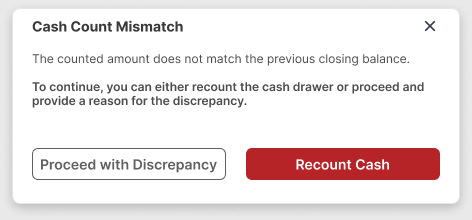
- Recount Cash first — most mismatches are a miscount or a typed quantity. Recount the till and fix the numbers.
- If the drawer really is over or short, click Proceed with Discrepancy. You'll be asked for a Reason — it's required, and it's recorded:
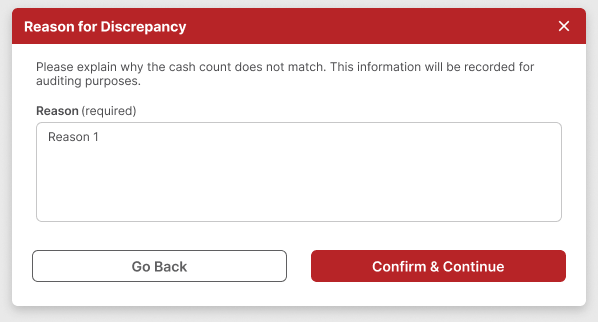
Write what actually happened ("Drawer $20 short at open — recounted twice"), then click Confirm & Continue. Don't adjust the counts to make the mismatch disappear — a real shortage needs to be on record, not hidden.
What blocks Start of Day
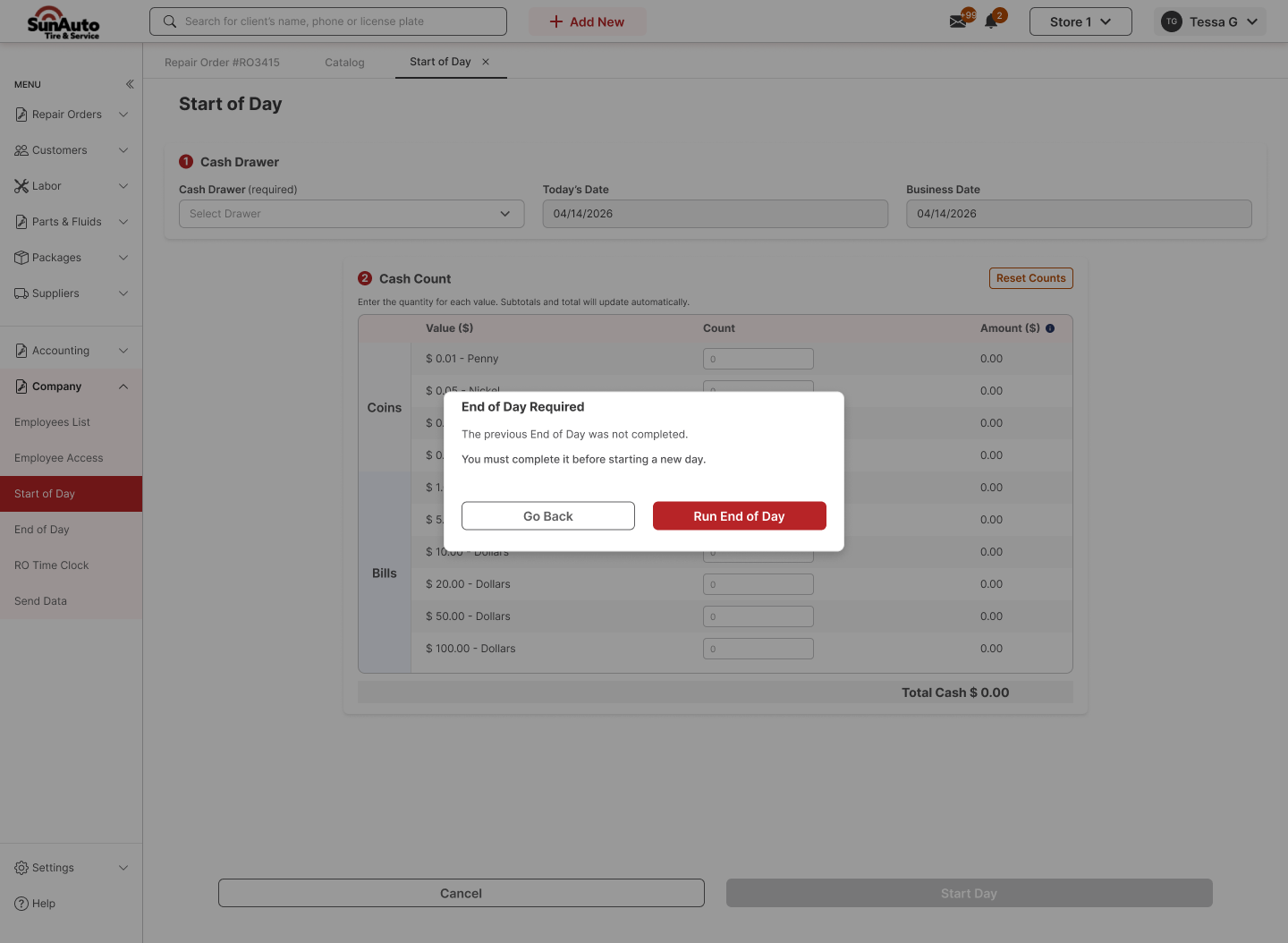
Yesterday wasn't closed. If the previous End of Day was never completed, you can't open a new day. OverDrive shows End of Day Required — click Run End of Day to go close yesterday first, then come back and run SOD.
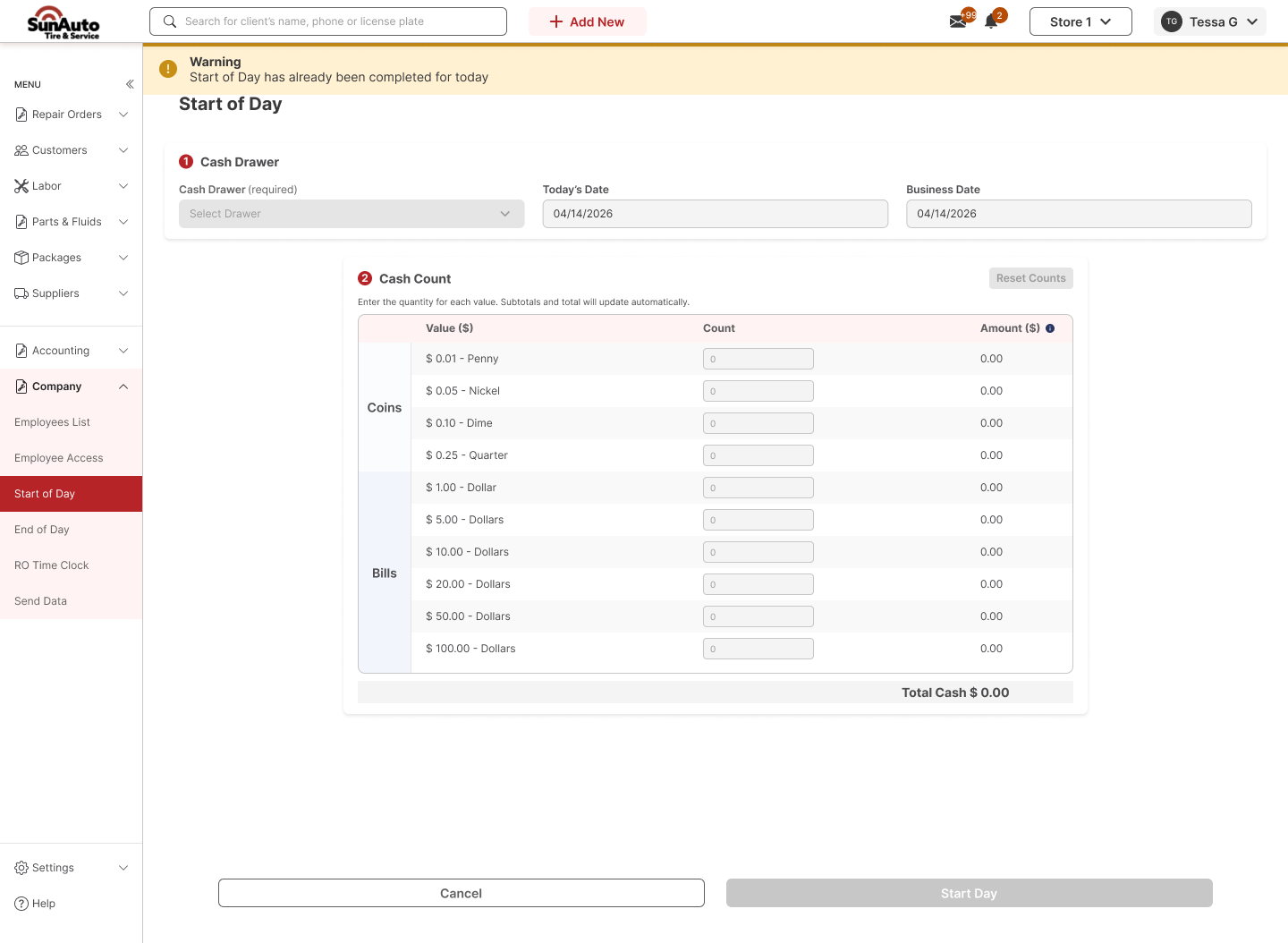
SOD is already done. Start of Day happens once per day. If someone already ran it, the page shows a warning — Start of Day has already been completed for today — and the form is disabled. Nothing to do; the store is open.
You don't have permission. If the Start of Day Required window has no Start Day button, your login isn't allowed to open the day — a teammate who is (usually a manager) has to run it.
Starting over or stepping away
- Reset Counts (top of the Cash Count section) zeroes every quantity so you can recount from scratch. It asks first — the cleared counts can't be brought back. Your drawer selection stays.
- If you try to leave the page mid-count, Leave Without Saving? warns you that entered numbers will be discarded. Stay on Page keeps your count.
A few things to keep in mind
- You enter counts, not dollars. Same as End of Day — type how many of each coin and bill, and OverDrive does the math.
- The starting cash is yesterday's float. Whatever stayed in the drawer at EOD is what you should be counting this morning. A mismatch means something changed overnight — say so in the reason, don't paper over it.
- One SOD opens the store. Once a drawer completes Start of Day, the system unlocks for everyone at that store.
- Confirming creates the business date. Everything the shop does today — ROs, payments, the eventual EOD — posts to the day you just opened.